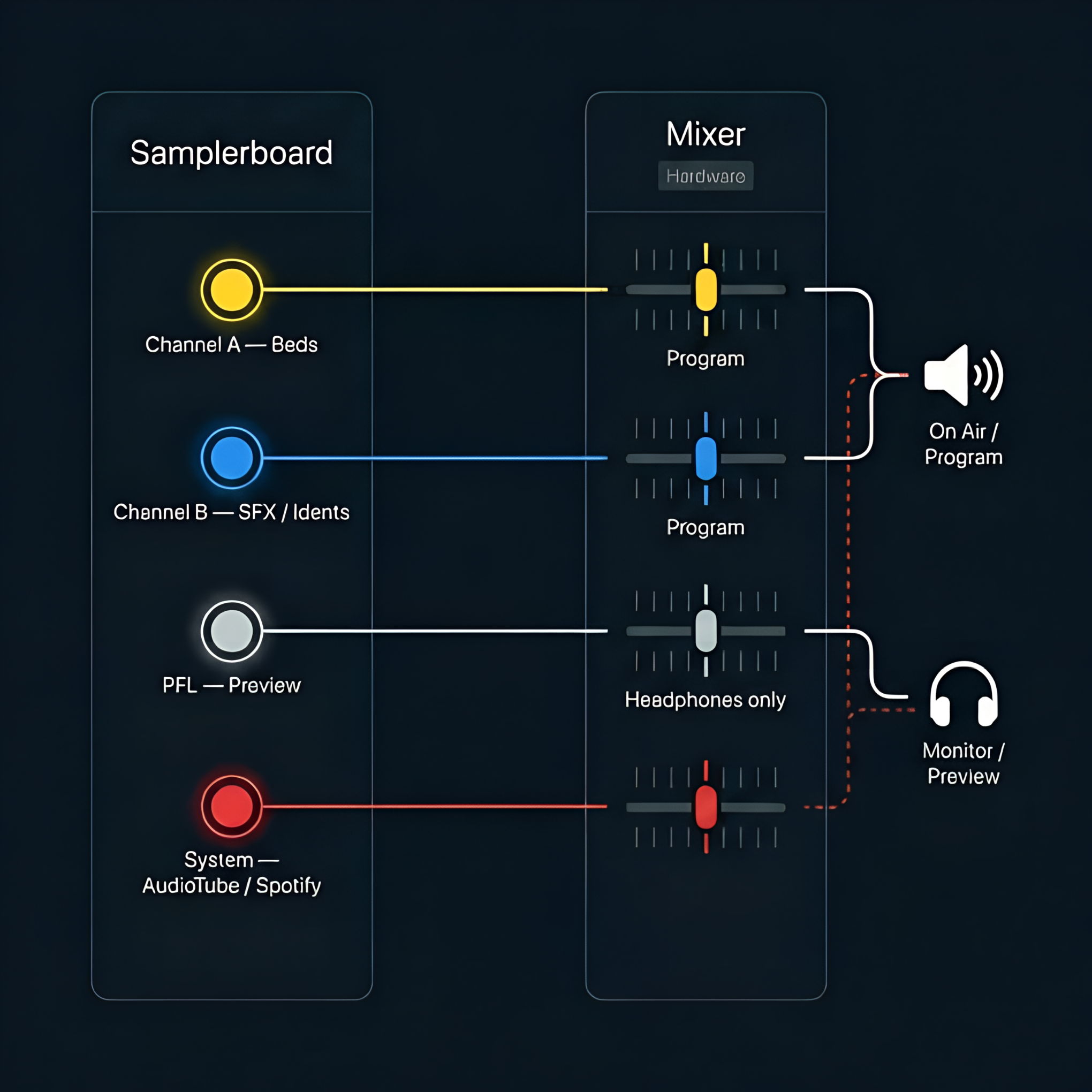
Before you can play any sound, Samplerboard needs to know which audio outputs to use.
Open the Audio Settings panel and select at least one output device for channels A and/or B.
This ensures your beds, effects and songs are routed correctly to your mixer or audio interface.
How would you like to assign the tracks from the playlist?
Forgot password?
Don't have an account? Register
Are you sure?
To upload, edit, and save your own audios in the library, you need a Pro account.
Please add library sounds to a playlist first, then drag them from the playlist to assign.
PFL (Shift + click) is not available for AudioTube tracks. AudioTube can only play through your system's default output device. To preview on headphones, temporarily change your default output: - macOS: System Settings → Sound → Output - Windows: Settings → System → Sound → Output - Linux: Settings → Sound → Output Remember to switch back when you're finished.
Processing...
Choose a location within AudioTube for "":
Preparing your workspace…
This action cannot be undone.
You’ve reached the Free plan upload limit. Upgrade to continue uploading.
Your activity report has been saved successfully. You can download it anytime from the Reports section.
 Samplerboard
v3.1.1
Samplerboard
v3.1.1
Samplerboard
v3.1.1
Samplerboard
v3.1.1